DJ CRM software The back office for your whole DJ business.
Leads, events, staff, music and money in one system. It runs in any browser and installs on your phone like an app. These are real screens from Gigbuilder 7.
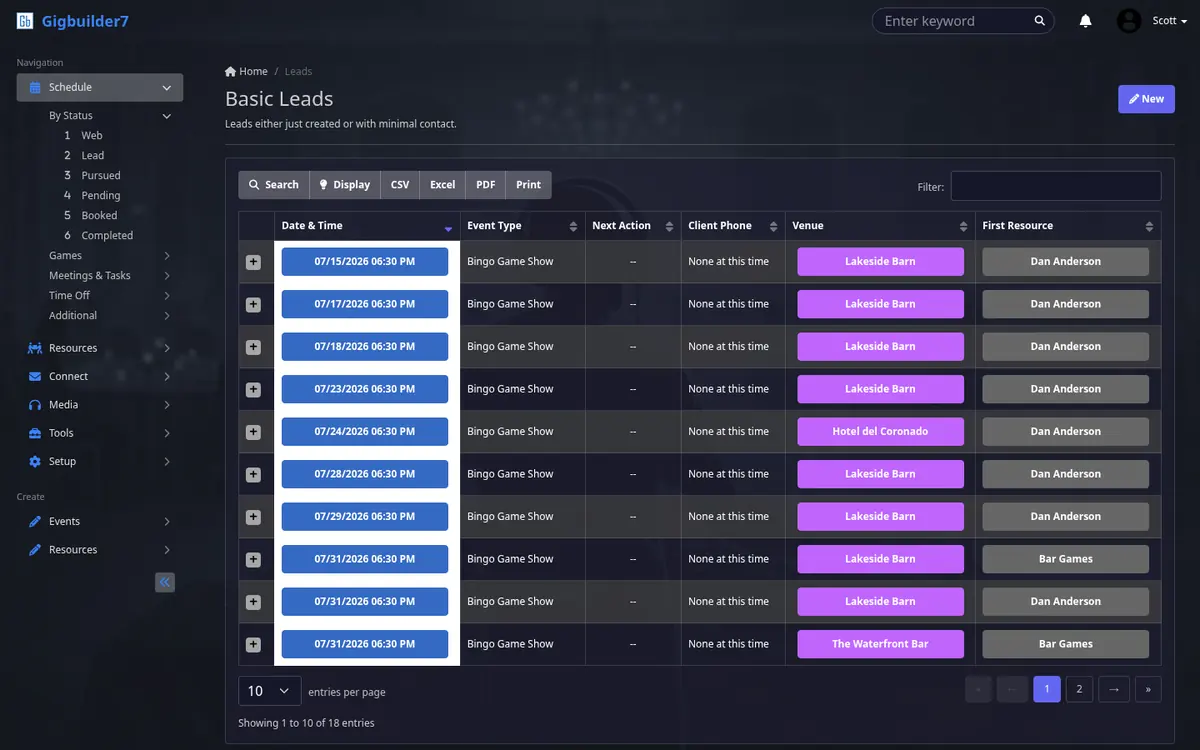
Every lead has a status.
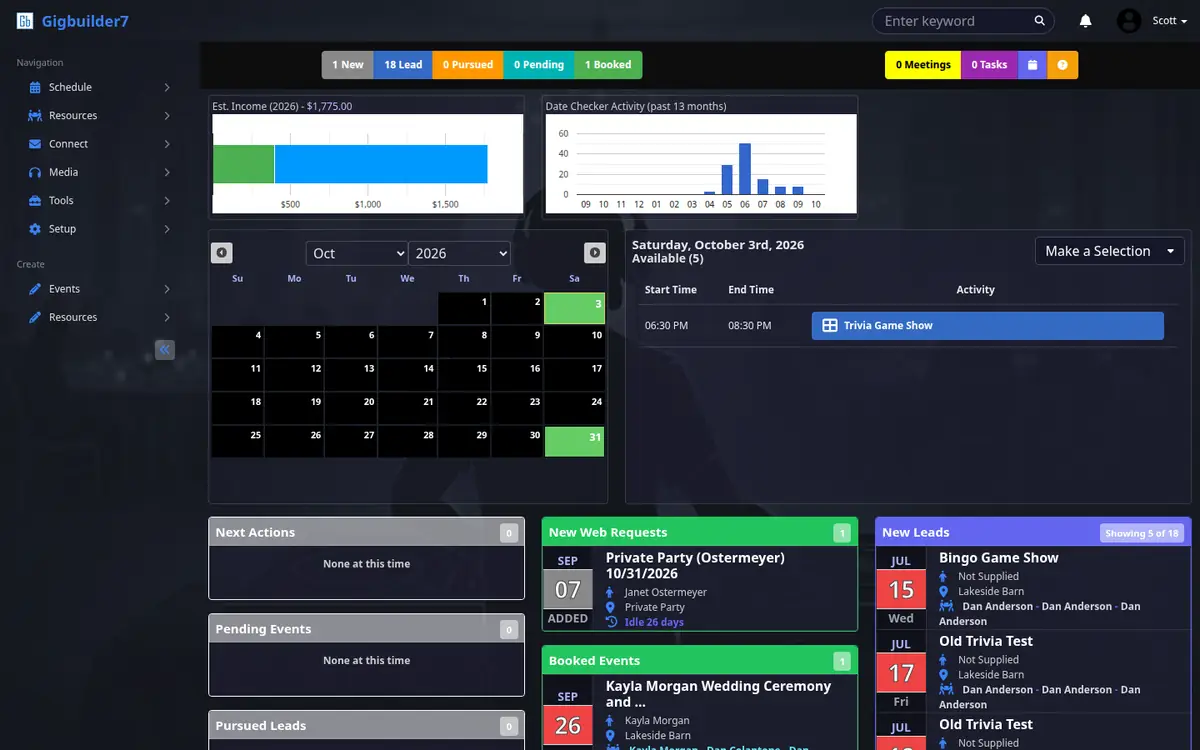
Date checks from your website land as web requests. From there each event moves through the same six steps, and the counters across the top of your dashboard show how many sit in each one.
- WebNew date requests from your site
- LeadJust created, little contact yet
- PursuedYou're talking with them
- PendingContract out, waiting on them
- BookedSigned and on the calendar
- CompletedPlayed, paid, done
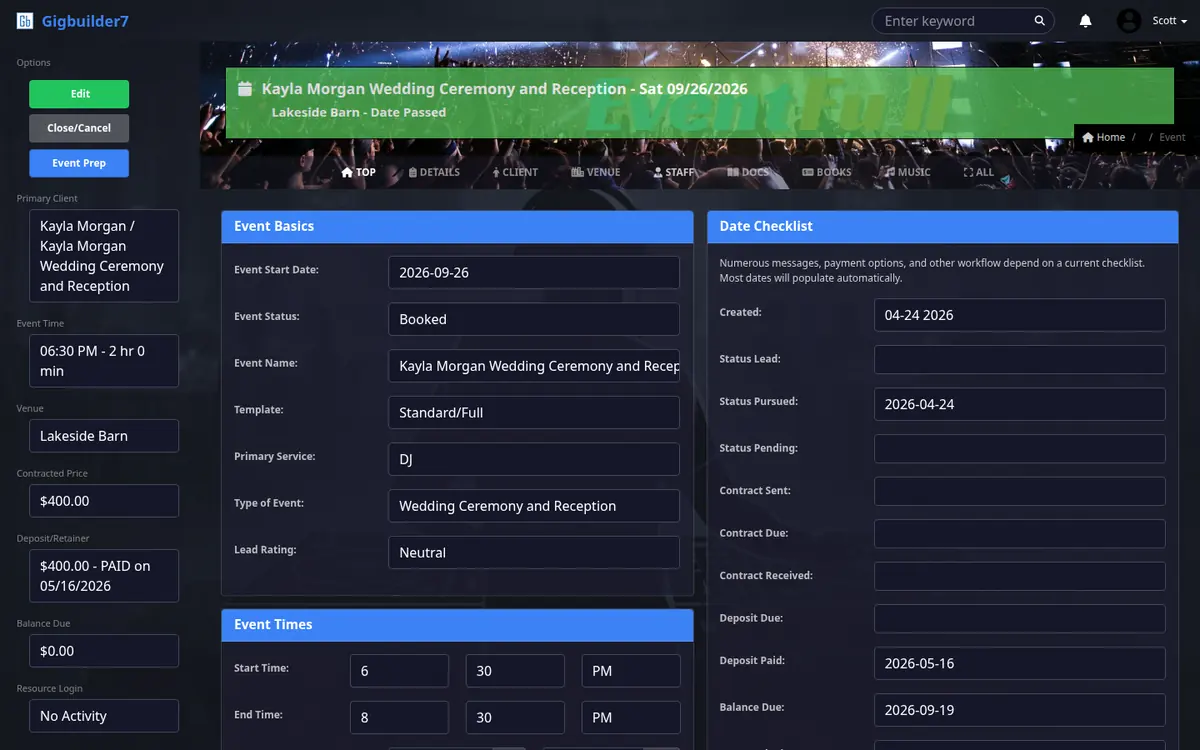
One record for each event.
Everything about a booking lives on its event, organized in the same tabs you see in the app. Click through them.
The basics, and a date checklist that drives the workflow
Date, status, event type, service and lead rating up top. Beside it, the date checklist records when the event was created, pursued, contracted, paid and balanced. Messages, payment options and other automations key off those dates, and most of them fill in on their own.
The left rail keeps the client, time, venue, contracted price, deposit and balance in view on every tab.
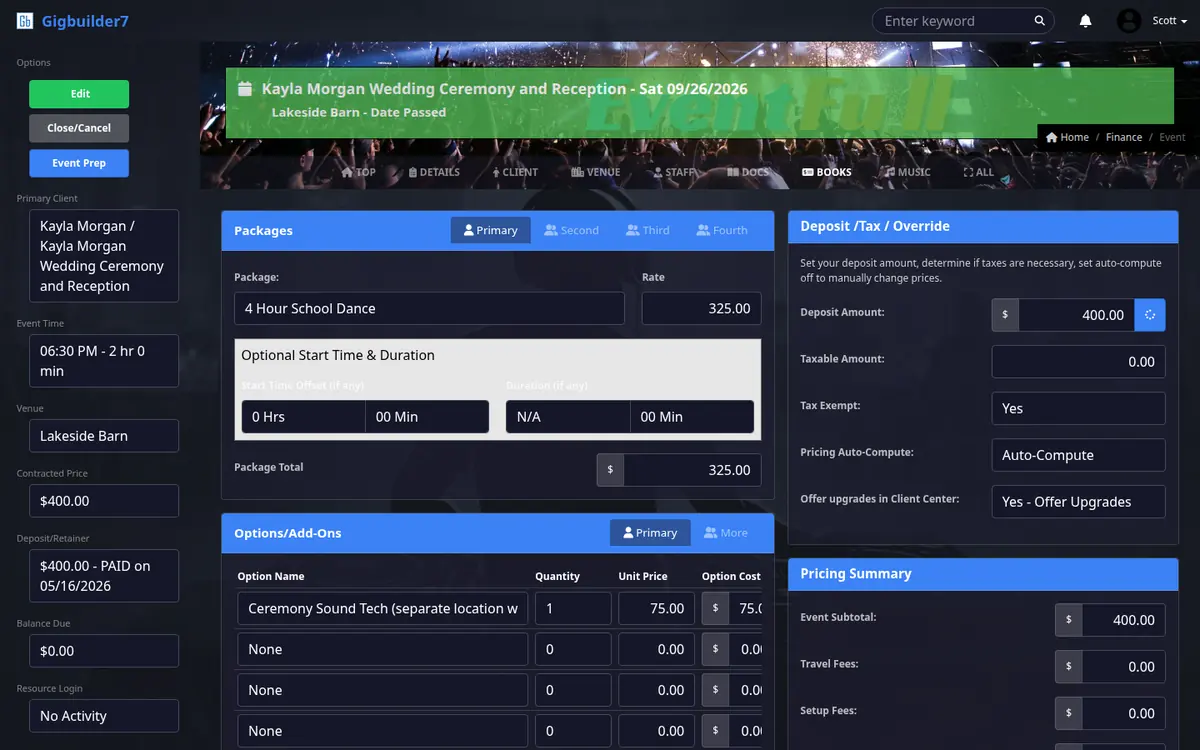
Packages, add-ons and the price
Pick up to four packages, add options with quantities and unit prices, and let pricing compute itself: deposit, taxes, travel and setup fees roll into the event total.
You can also offer upgrades to the client right inside their portal.
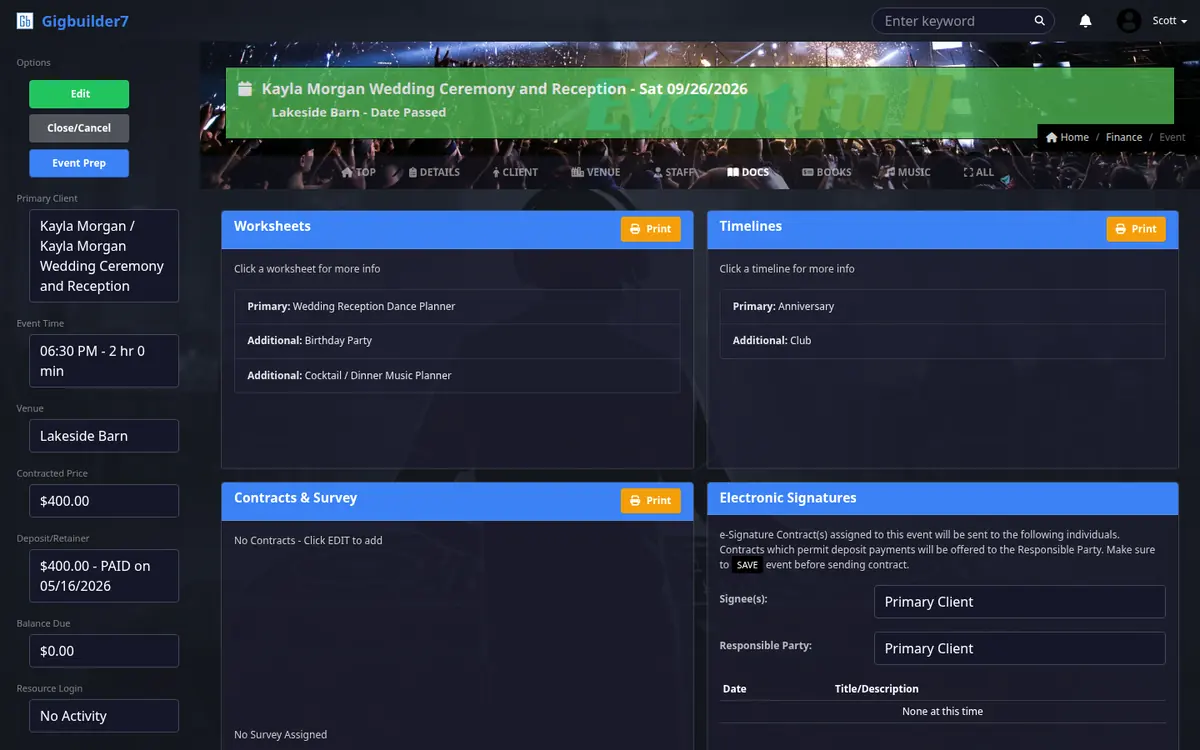
Worksheets, timelines, contracts and e-signatures
Attach planning worksheets and timelines, assign contracts and a survey, and choose who signs. Contracts that allow deposit payments go to the responsible party.
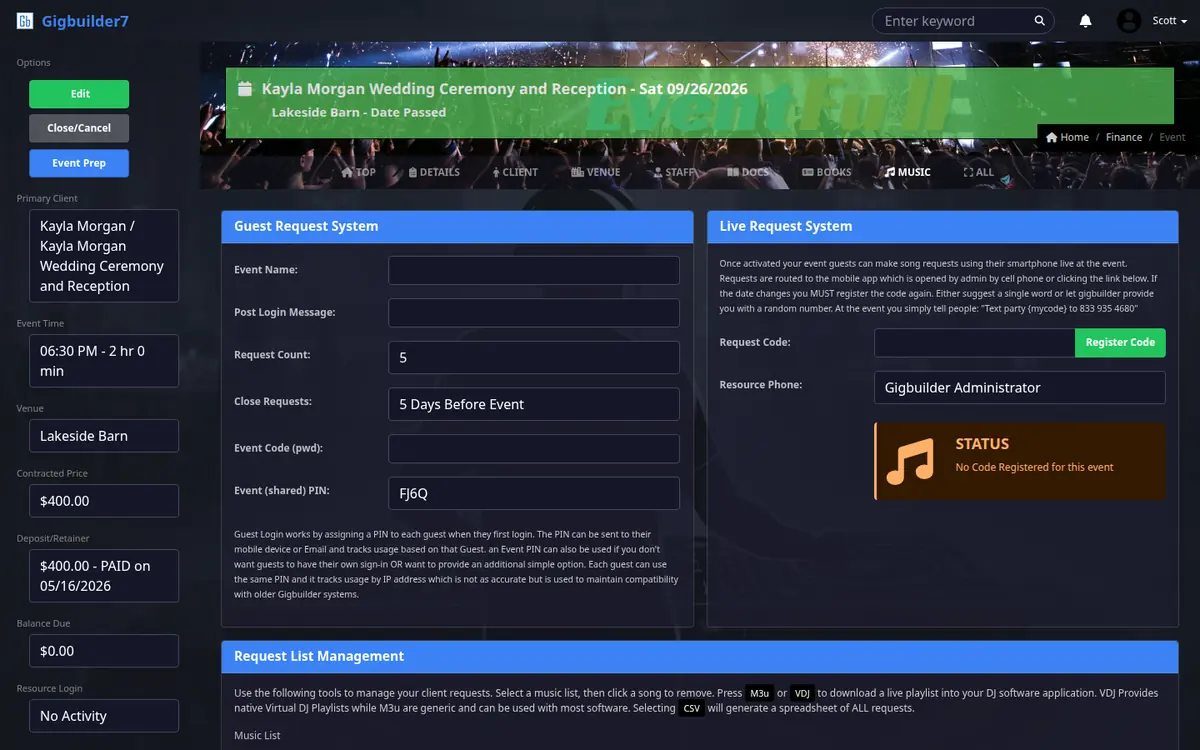
Guest requests before the night, live requests during it
Guests can log in with a PIN and send requests ahead of time, up to a cutoff you set. At the event, the live request system takes requests from guests' phones.
Export the request list as an M3U playlist, a Virtual DJ playlist, or a spreadsheet.
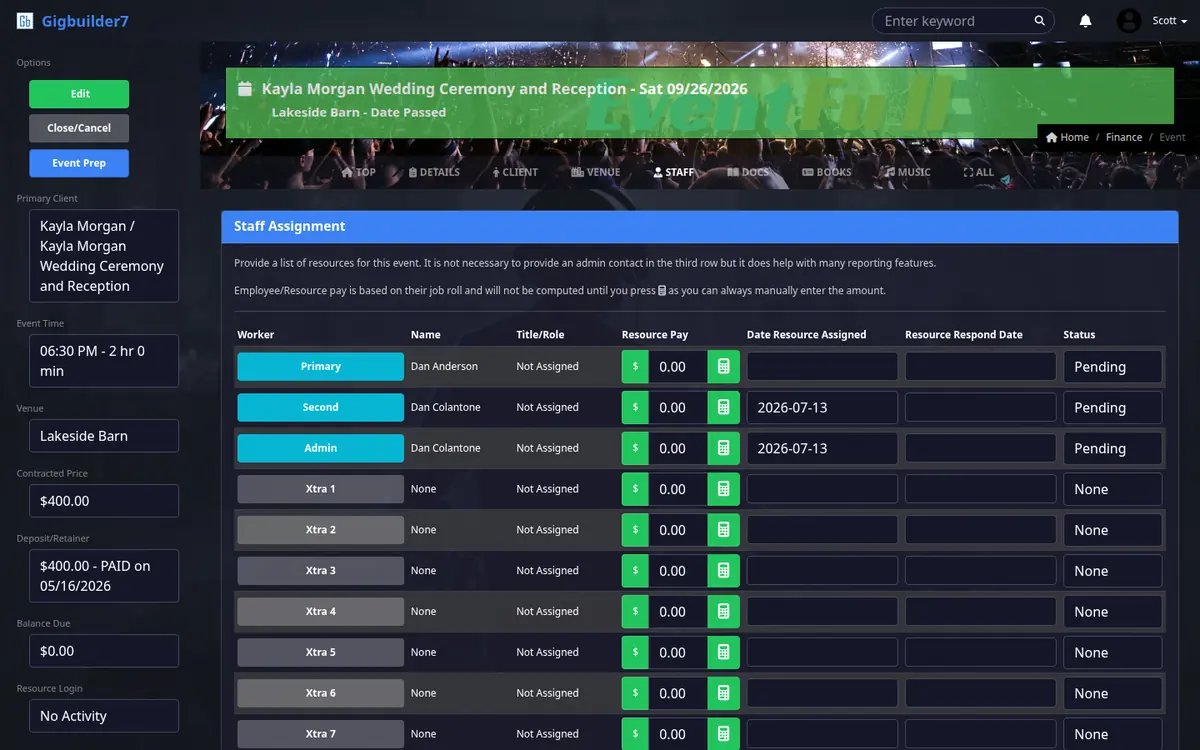
Who's working it, and what they're paid
Assign a primary, a second, an admin and as many extras as the event needs. Each assignment tracks the role, pay, when it was assigned and when the person responded.
Pay is calculated from each person's job role.
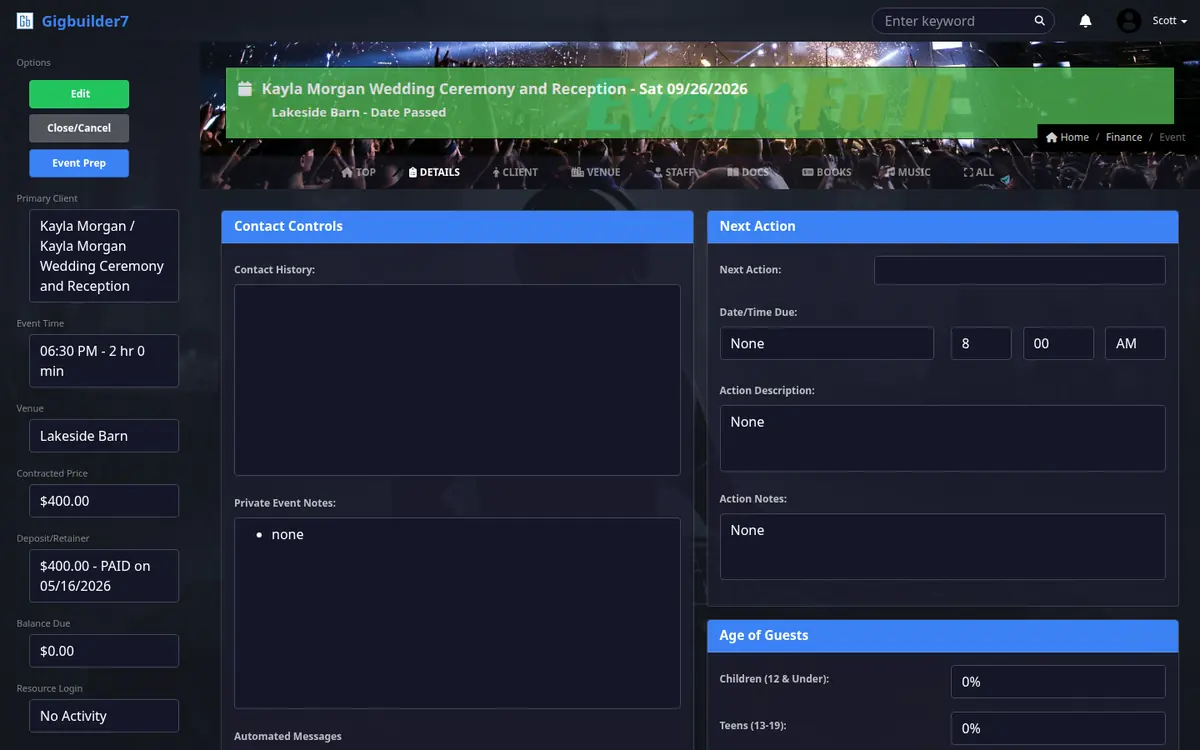
Contact history, next action and private notes
A running contact history, the next action with its due date, private notes your client never sees, and the guest age mix so you can plan the music.
19 looks. Light or dark.
Pick the theme you want to work in. Same system, same data, your colors.
This theme is dark only.
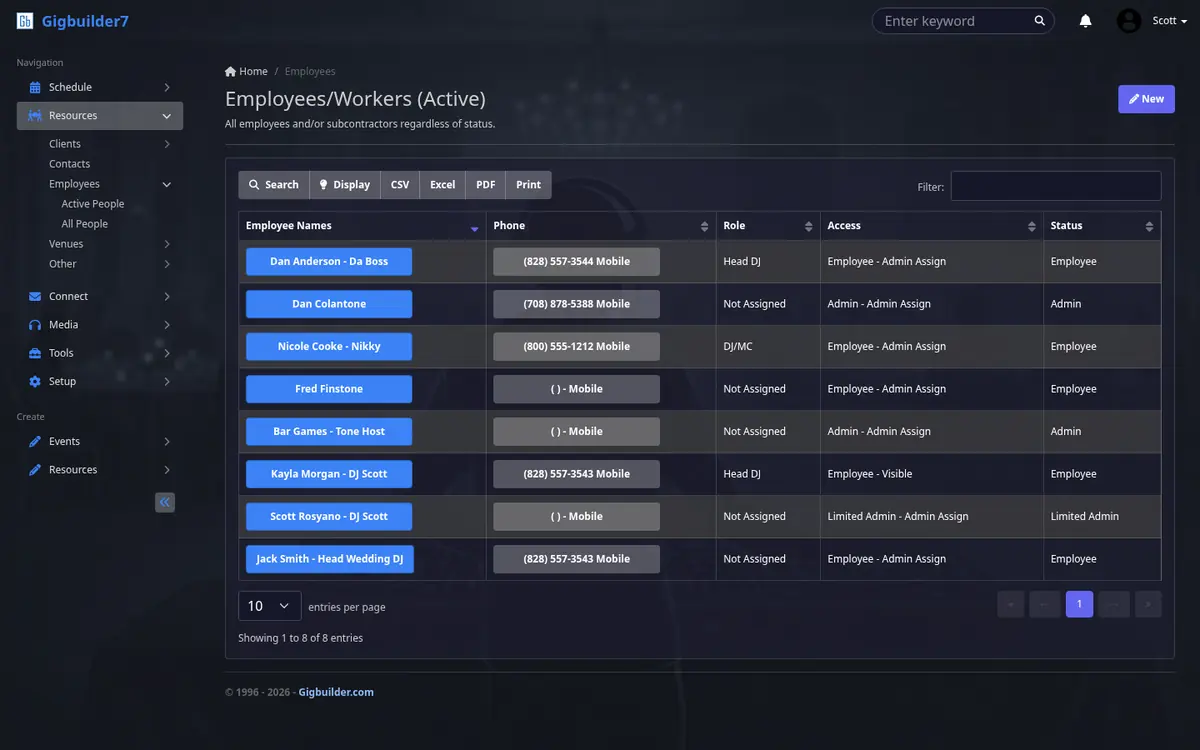
Your crew, with the right access.
Add every DJ, MC, tech and assistant with their role and access level, from employee to admin. They get their own logins, see their schedule, and confirm or decline assignments and time off.
Blackout dates and time-off requests keep anyone from being double-booked.
The money side, built in.
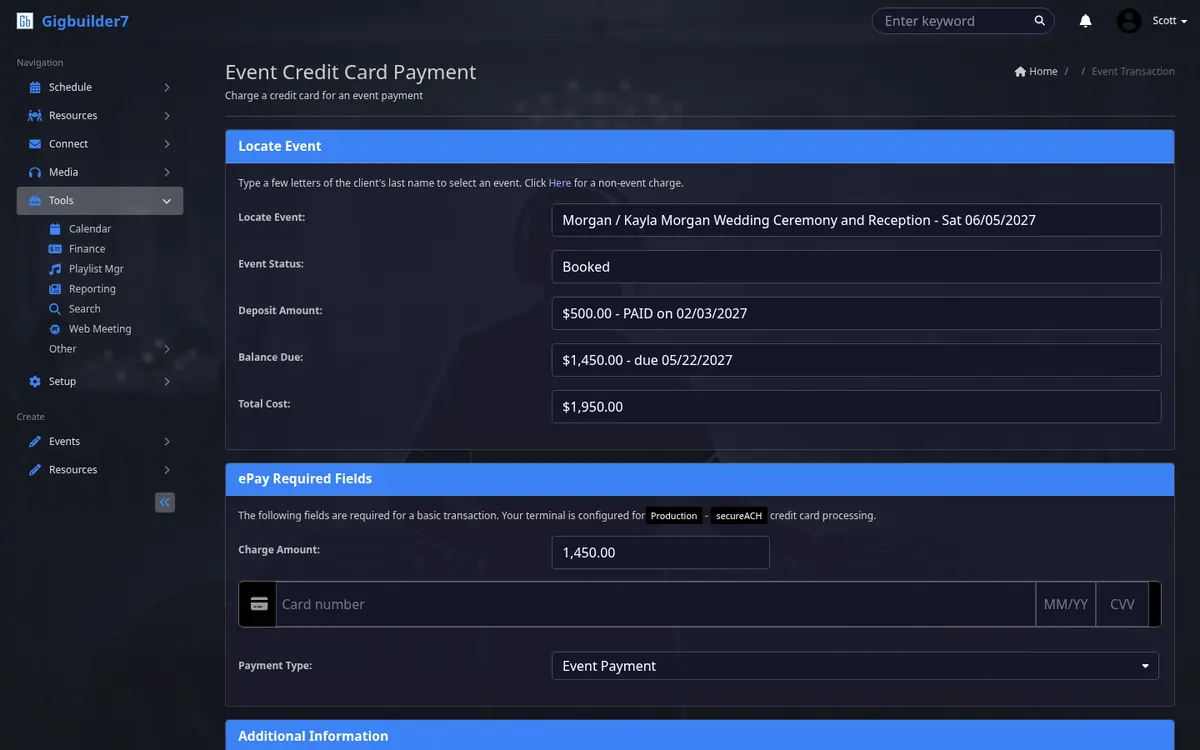
Take a payment right from the event. Type a few letters of the client's last name, pick the event, and Gigbuilder shows its status, deposit, balance and total before you charge the card. Charges that aren't tied to an event work too.
Behind it sits the accounting: a payment journal, general ledger, income from event payments, retail and rentals, payroll, expenses and bill reminders. Reports cover profit and loss, songlists by event, mileage and work schedules.
And the rest of the back office.
- Email, inside the CRM
- Compose, inbox and sent folders, a delivery log, and journals, all tied to your events.
- Campaigns
- Upload lead lists, send email blasts from templates, and track opt-outs by date and source.
- Meetings and tasks
- Appointments, next actions, to-dos and signatures waiting on clients, each in its own list.
- Clients, contacts and venues
- Repeat clients, every contact, and venues you can mark visible to clients.
- Reviews and surveys
- Post-event survey results, and the reviews you turn them into.
- Music library
- The Gigbuilder music database, your own library by title or artist, karaoke, and a playlist manager.
- Logs that answer "did it send?"
- Auto emails, availability checks, client activity, AI usage and deletions, all logged.
- AI assistant
- Ask it to send emails, look things up and help you get around Gigbuilder.
- Run Gigbuilder from your AI chat app
- On Premium. Our MCP server connects Gigbuilder to Claude.ai or ChatGPT, so you can work your business from the AI app you already use. It also connects to Zapier, n8n and any other service that can talk to an MCP server, so you can extend Gigbuilder however you need.
- Website hosting with an AI webmaster
- Pro and Premium accounts include a free hosting server for your website, with AI spam filtering and an AI webmaster that makes your updates for you.
Your next booking starts here.
Get 14 days of full access with no credit card, plus a free 14-day Bronze listing on WeDJ.com. Plans start at $25 a month after the trial.