DJ client portal & event planning app Your clients plan the night with you.
Every Gigbuilder account includes a client portal with your company name on it. Clients open it in any browser or install it on their phone as an app, then fill in your planning forms, pick their music, pay, and message you.
Everything in your client’s menu.
These are the eight sections your clients see, in the order they see them. Click through.
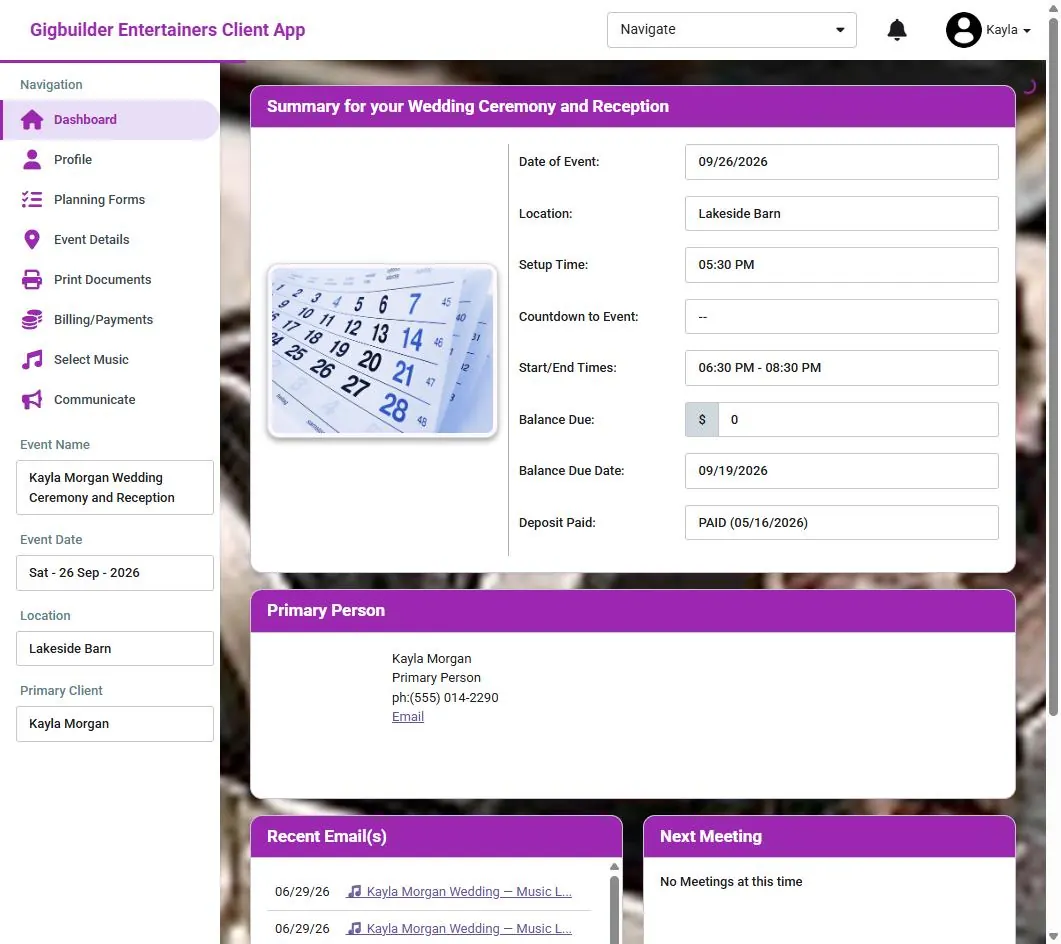
Their whole event at a glance
Date, location, setup time, a countdown, start and end times, the balance with its due date, and the deposit. Below that: the primary person, recent emails from you, and their next meeting.
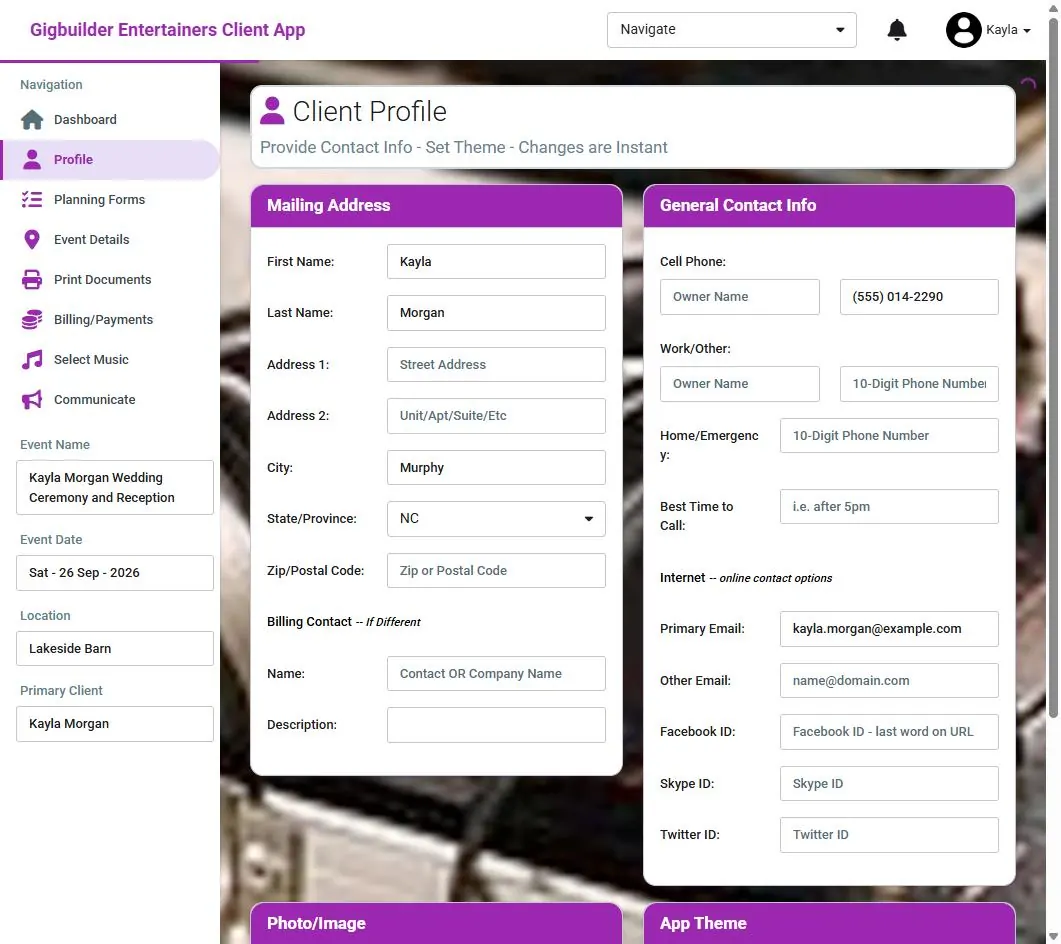
They keep their own details current
Mailing address, phone numbers, best time to call, email and social accounts, a billing contact if it’s someone else, a photo, and the app theme they like. Changes are instant, so you never chase a new number.
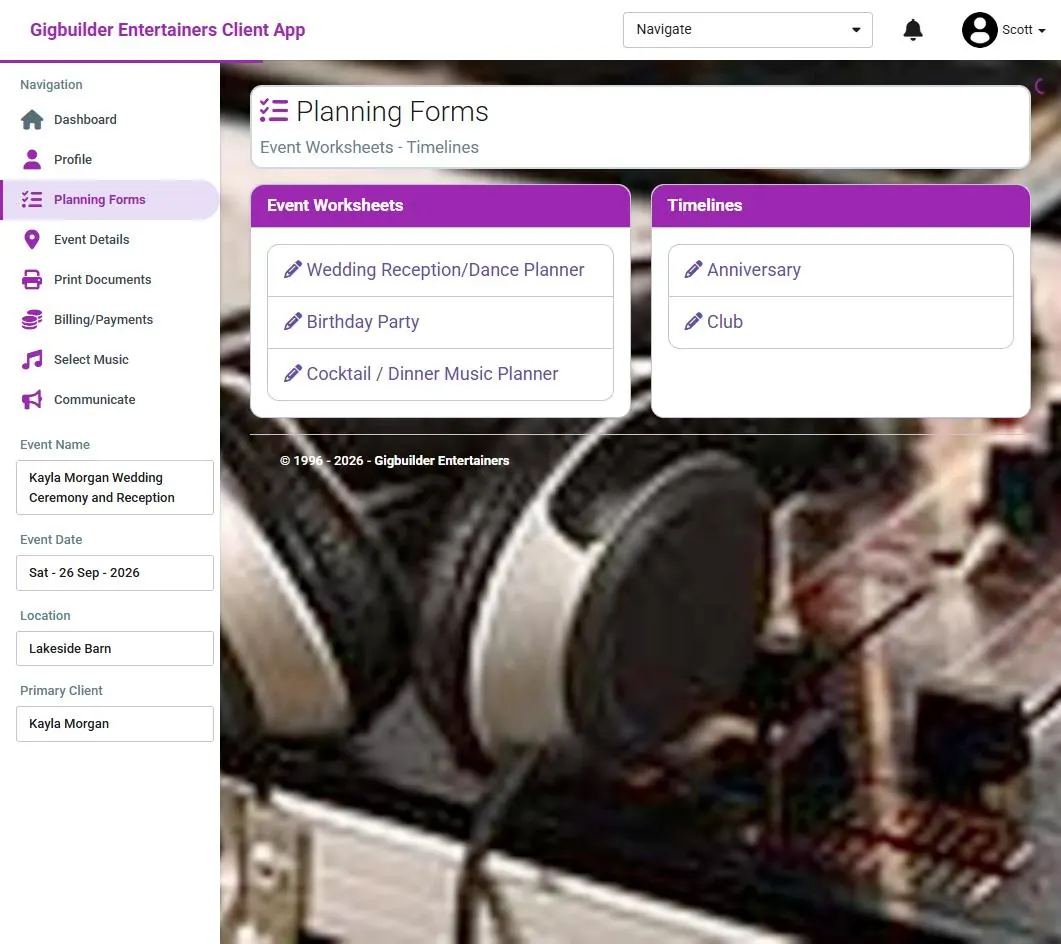
Your worksheets and timelines, filled in by them
Hand them the planners you use: a wedding reception planner, a birthday party sheet, a cocktail and dinner music planner, and timelines. Their answers land on the event.
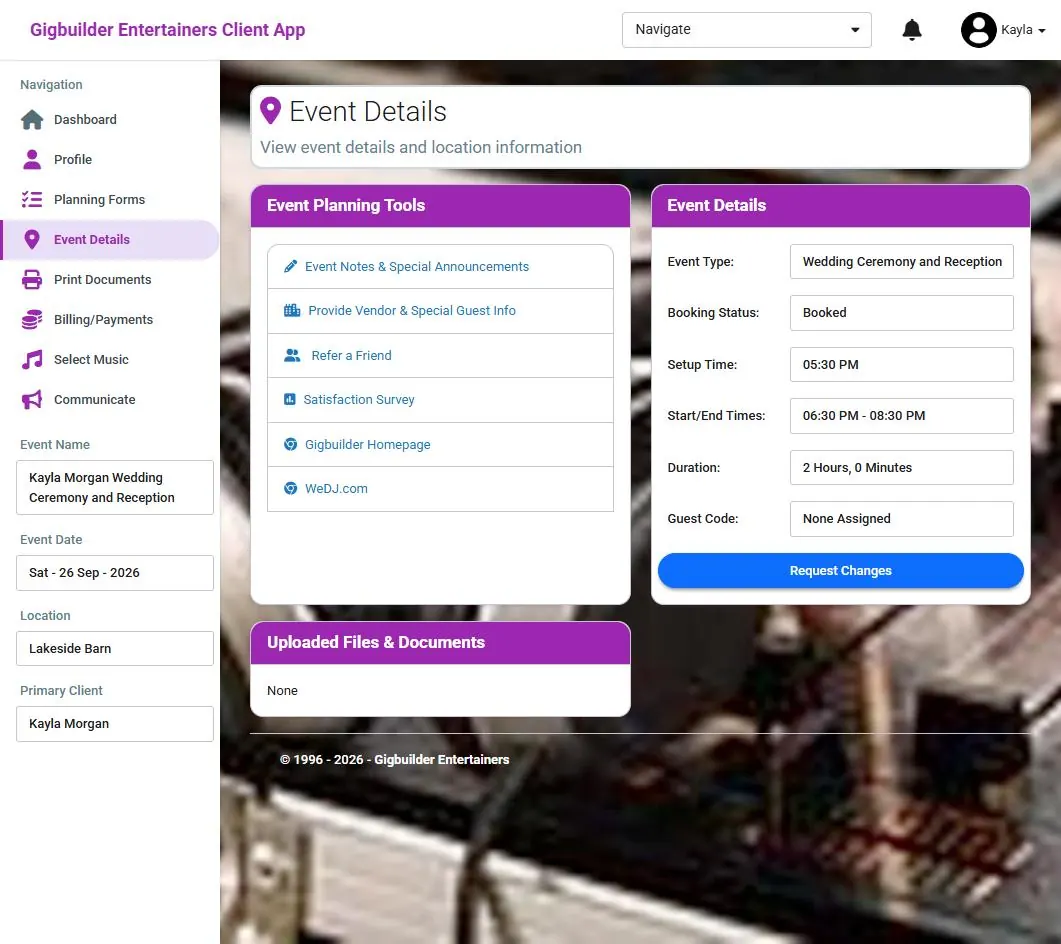
Notes, vendors, a survey and change requests
Event notes and special announcements, vendor and special guest info, refer a friend, the satisfaction survey, and links you choose. They see the event type, status, setup and times, can request changes, and find uploaded files and documents.
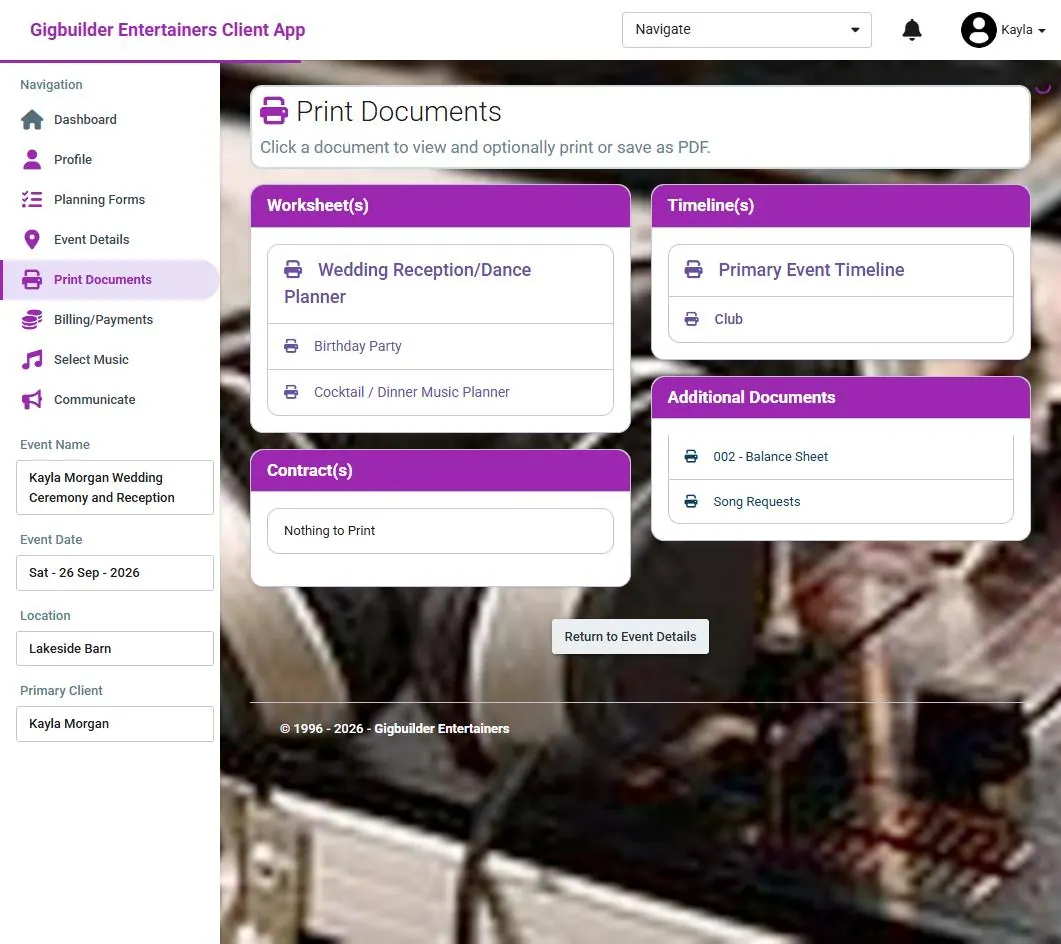
Everything printable, or saved as a PDF
Worksheets, timelines, contracts and other documents, like a balance sheet and their song requests. One click to view, print or save as PDF.
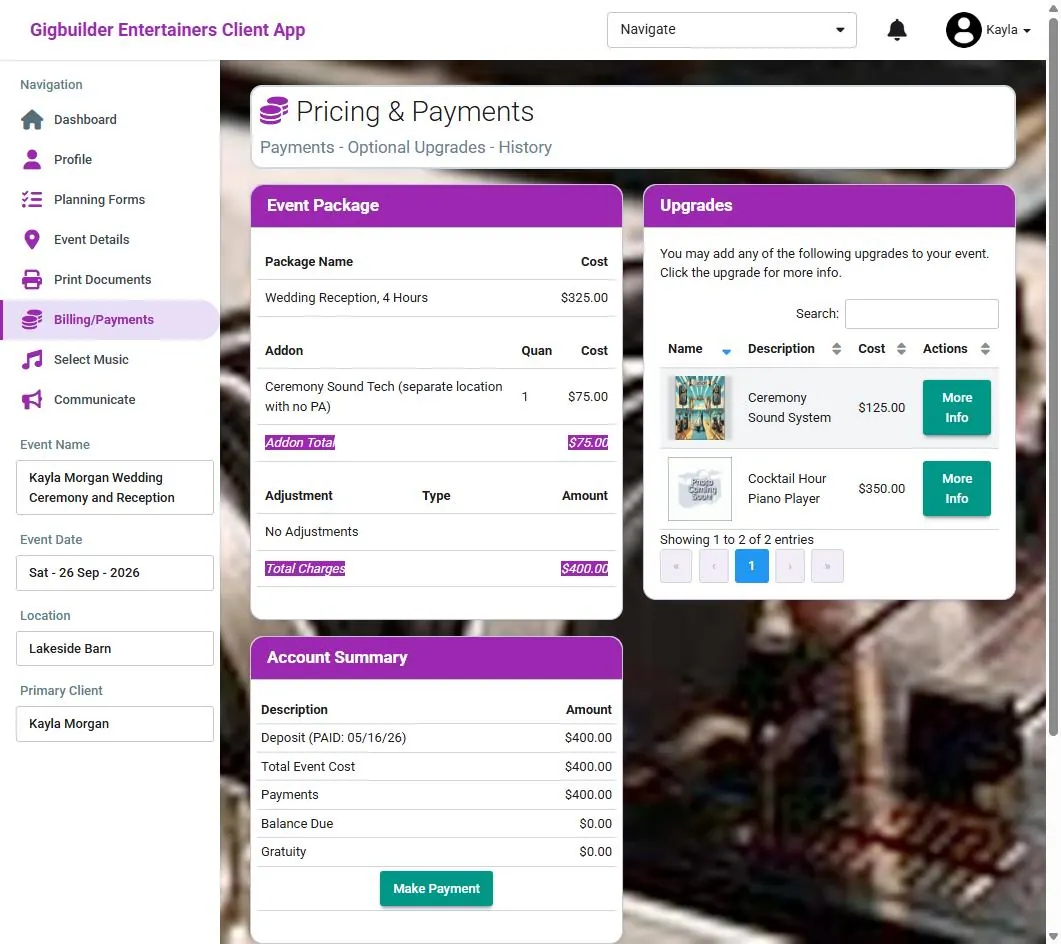
The price, the upgrades, and a pay button
Their package, add-ons, adjustments and total. Upgrades you offer appear with a photo, price and more info, so they can add a ceremony sound system or a cocktail hour performer on their own. The account summary shows deposit, payments, balance and gratuity, and Make Payment is right there.
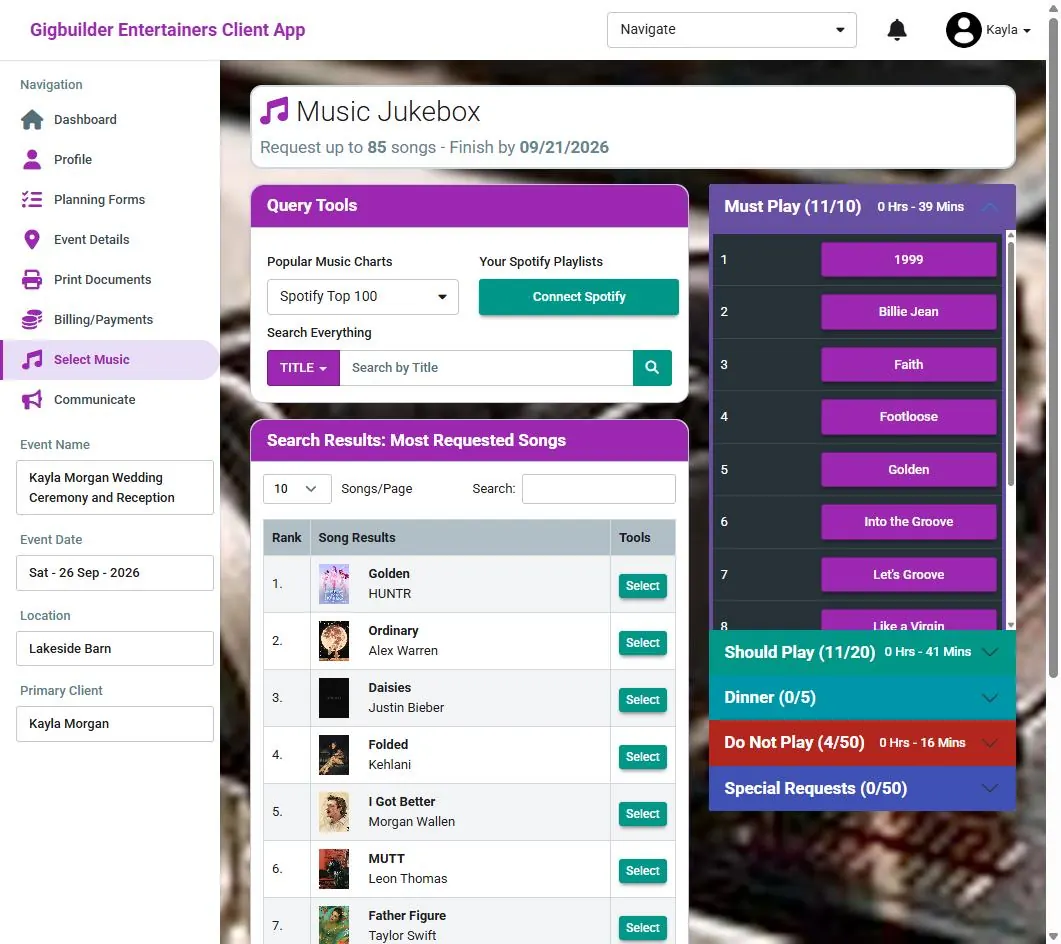
A music jukebox with your limits
They search by title, browse popular charts like the Spotify Top 100, or connect their own Spotify playlists. Picks go into Must Play, Should Play, Dinner, Do Not Play and Special Requests, each with a count and running time. You set how many songs and the deadline.
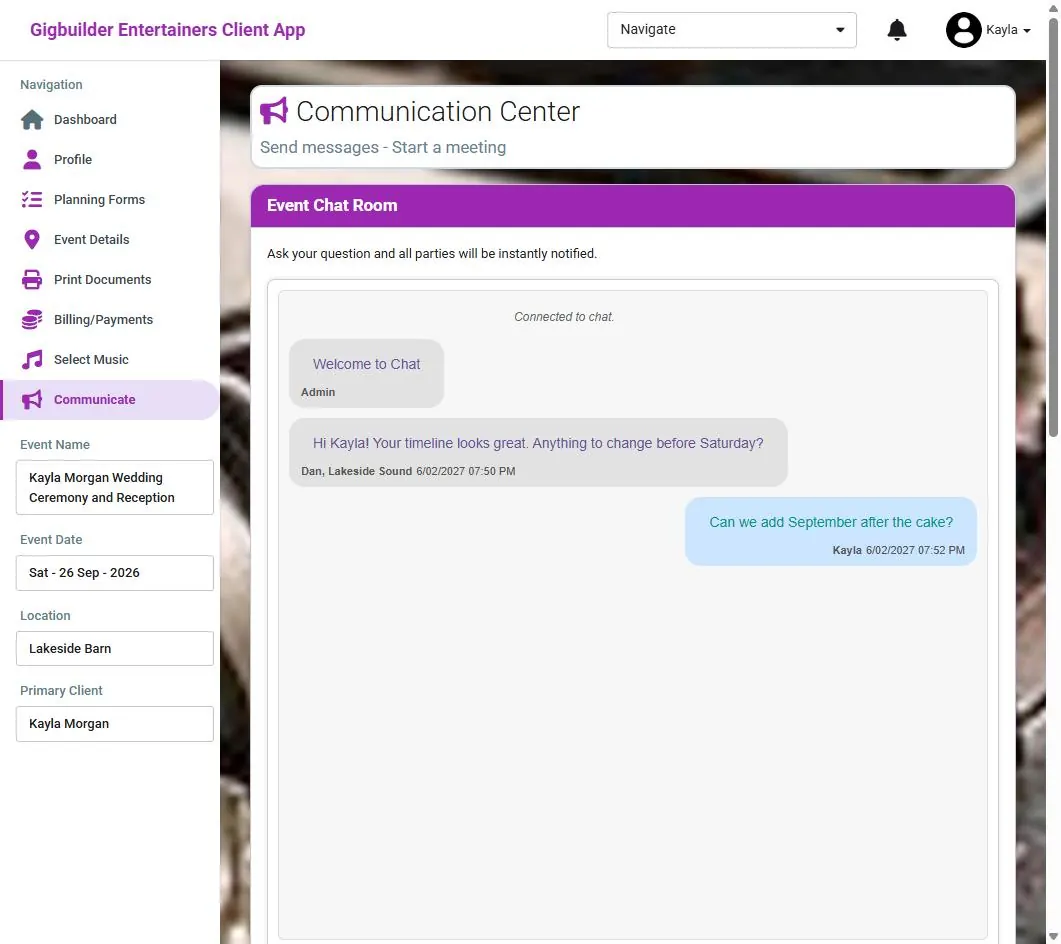
One chat for everyone on the event
Ask a question in the event chat room and all parties are notified at once. They can start a meeting from here too.
Why DJs give it to every client.
- Fewer calls and emails
- Clients answer your planning questions, check their balance and print their own documents without asking you.
- Upgrades sell themselves
- Add-ons you offer show up on their billing page with a photo and price, ready to add.
- Music on your terms
- You decide how many requests and the cutoff date; the lists arrive sorted and timed.
- Installs like an app
- Clients add it to their home screen, so planning is one tap away. No app store.
- Your name on it
- The portal carries your company name, and every change lands on the event in your CRM.
- Included on every plan
- Client portals come with Basic, Pro and Premium, with unlimited events.
Your next booking starts here.
Get 14 days of full access with no credit card, plus a free 14-day Bronze listing on WeDJ.com. Plans start at $25 a month after the trial.